
You can target the right keywords and still attract the wrong visitors. A page may rank for a phrase that fits your service, yet the people who click want a how-to guide, a price comparison, or a competitor’s login page. They leave quickly, and your reports show traffic without results.
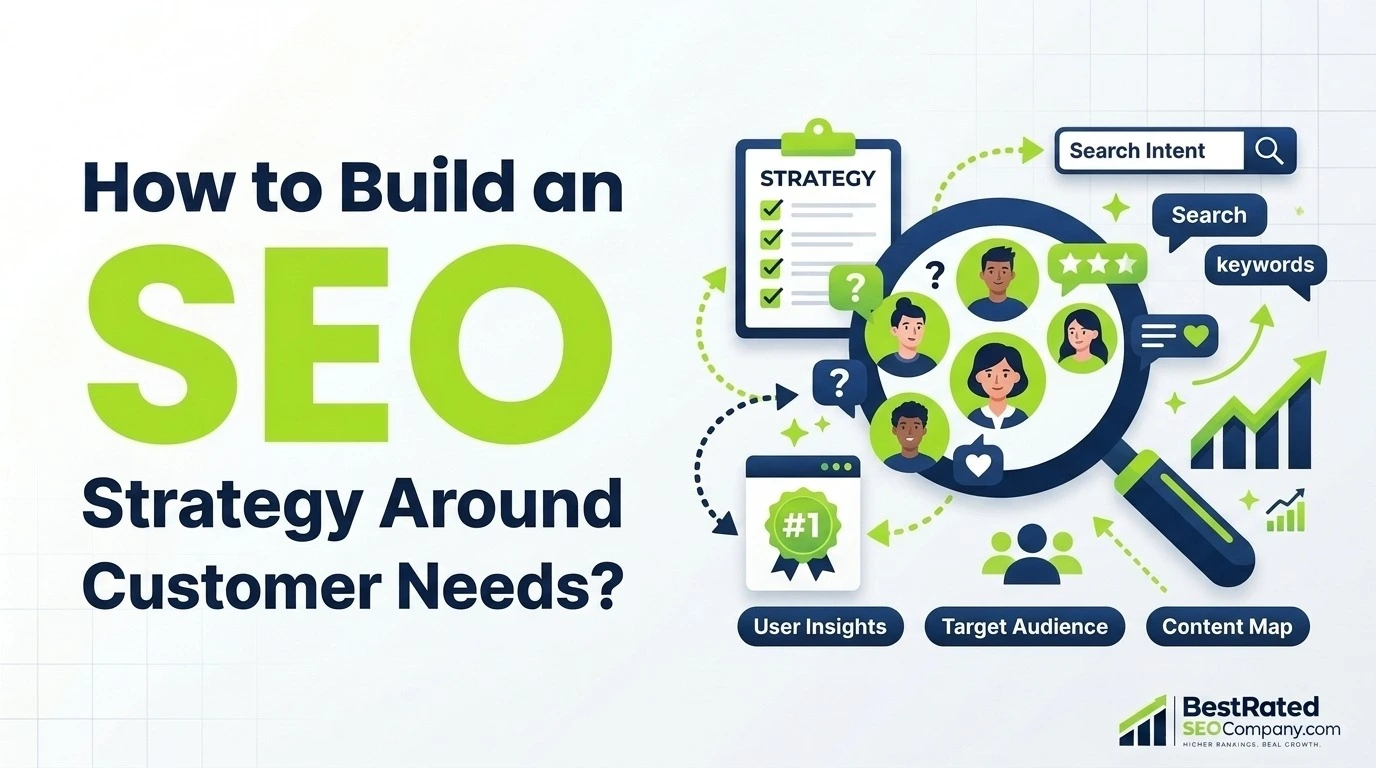
The fix is not more keywords. It is a strategy that starts with the problems customers want to solve, checks what searchers expect to see, and gives each query the right page and a useful next step. This guide shows you how to build an SEO strategy around search intent and customer needs in nine steps. It includes a worked example, a keyword-to-page matrix, and a measurement plan.
The short answer: research your audience, collect relevant queries, study the live search results, map each keyword to a suitable page and journey stage, create content that answers the query, add helpful links and next steps, and measure outcomes beyond rankings. This fits Google’s people-first content guidance, which says its ranking systems aim to reward helpful, reliable content made for people rather than content built mainly to attract search visits.
What Is Search Intent in SEO?
Search intent is the goal behind a search query. It tells you what kind of page, format, and depth a searcher expects. Someone who types “how to unclog a drain” wants steps. Someone who types “emergency plumber near me” wants to hire help now.
It matters because it shapes decisions before you write a word: which page to build, what to put first, and what to offer next. This section is a quick refresher. For a deeper look at intent types and SERP patterns, read our full guide to search intent.
The Four Types of Search Intent
Most SEO tools and guides, including Ahrefs, sort queries into four groups.
| Intent type | What the searcher wants | Example query | Page that usually fits |
| Informational | To learn or solve a problem | how to build an SEO strategy | Tutorial or guide |
| Navigational | To reach a specific site or page | Google Search Console login | Official site or login page |
| Commercial investigation | To compare options before deciding | best SEO tools for small businesses | Comparison or evaluation guide |
| Transactional | To act: buy, book, or hire | hire an SEO consultant | Service, product, or booking page |
Treat these labels as a planning aid, not a verdict. Some queries mix intents, and search results change over time. Step 4 shows how to confirm intent with live results.
Search Intent vs. Customer Needs
Search intent describes what a person wants to do with one query. Customer needs go wider. They include the problem behind the search, the person’s urgency, budget, and experience level, and the result they hope to reach.
Consider two people who both search “SEO strategy for small business.” One is a solo owner with a new website who needs a simple starting checklist. The other is a marketing manager who must show leadership what the current program is delivering. Both searches are informational. The needs behind them differ, so the best content would differ too.
Keyword data shows what people search for. It rarely shows why the answer matters to them. That is why a customer-focused SEO approach pairs SERP research with customer research. Buyer personas can help you organize what you learn. Treat them as working assumptions until real customer data confirms them.
Why Customer Needs Should Shape Your SEO Strategy
A keyword can be relevant to your industry and still be wrong for your business. Search demand tells you people are looking. It does not tell you whether you can help them, or whether helping them moves your business forward.
Understand Customer Problems and Questions
Customers rarely describe problems the way your team does. Google’s SEO Starter Guide notes that newcomers and experts often search with different words, so it helps to anticipate those differences. It also says Google’s language systems can connect a page to many related queries even when the exact words do not appear. You do not need a page for every phrasing. You need to understand the problem well enough to answer it.
The best raw material is already inside your business: sales call notes, support requests, reviews, and the questions prospects ask before they buy. Step 2 shows how to turn these into search queries.
Connect Search Behavior With Business Goals
A page can attract many visits and still produce nothing if visitors want something you do not offer. Business goals help you tell useful traffic from irrelevant traffic.
Not every page must produce a lead, though. Some guides earn trust, answer one question, or point readers to the next resource. Decide each page’s job first. Then judge it by that job.
Build an Intent-Led SEO Strategy: A 9-Step Framework
Use this chain as the backbone of your plan: customer problem → search query → search intent → page → useful content → next step → measurable outcome. It is a working framework, not an industry standard. Each step below feeds the next.
Step 1: Define Your Business Goals and Target Audience
Start with the business, not the keyword list. Write down:
- The main goal: qualified leads, demo requests, product sales, bookings, or something else.
- The audience you serve and the problems you solve for them.
- The products, services, or expertise your site can truthfully support.
- The actions that count as success, such as form submissions, calls, or purchases.
- Audience assumptions you still need to validate.
Goals shape what “relevant” means. A B2B software company may care most about qualified demo requests. An online store may care more about product discovery and purchases. The same keyword can be worth pursuing for one and ignoring for the other.
Step 2: Research Customer Needs and Pain Points
Collect what customers actually say, then separate it from what you assume. Useful sources include:
- Sales conversations and call notes.
- Support tickets and emails.
- Customer reviews and interviews.
- Questions prospects ask before they buy.
- Search Console queries, if your site already has data.
Record your findings in a simple research table:
| Column | What to record |
| Customer question | The exact wording the customer used |
| Underlying problem | What they are trying to fix or achieve |
| Evidence | Where you heard it, such as a call, ticket, or review |
| Likely query | How they might type it into Google |
| Content response | The page or answer that could help |
Label each row as observed or assumed. Do not invent customer quotes or findings to fill the table. A short table built on real evidence beats a long one built on guesses.
Step 3: Find and Prioritize Relevant Keywords
Turn your research into a keyword set. Gather queries from customer language, Search Console, a keyword tool, and the related searches in Google results. Group terms that share the same meaning and intent. Then score each group:
| Criterion | Question to ask |
| Relevance | Does this query fit your audience and your offer? |
| Intent | Can a page satisfy the likely goal behind it? |
| Demand | Is there evidence of real search interest? |
| Feasibility | Can your site realistically compete for it? |
| Business value | Could meeting this need support a meaningful outcome? |
Treat tool metrics such as search volume and keyword difficulty as estimates. Use them to compare options, not as proof. The business-value question needs your judgment, because no tool knows your margins or sales process. This is keyword research that serves customers instead of chasing volume.
Step 4: Analyze Search Intent in the SERPs
How do you identify search intent for a keyword? Search it in your target market and study what ranks. The results show what Google currently expects searchers to find. This search intent analysis is quick for one keyword and worth doing before every new page.
- Search the exact query in the US market. A private browser window can reduce, though not remove, the effect of personalization.
- Note which page types appear: guides, service pages, product pages, tools, videos, or forum threads.
- Compare format and angle. Ahrefs calls this the three Cs of search intent: content type, content format, and content angle.
- Check SERP features such as AI Overviews, People Also Ask, video results, and local results. They hint at what searchers want next.
- Write the searcher’s job in one sentence, such as “learn why my AC is not cooling.”
- Decide which page type fits, and note what the current results leave out.
Recheck the results before you publish. A query that favored guides last year may favor comparison pages today.
Step 5: Map Keywords to Customer Journey Stages
Customer journey mapping shows which questions come first and which come right before a decision. Use it as a planning model, not a rule. People skip stages, return to earlier ones, and arrive with different levels of knowledge. Our guide to the customer journey explains how to build one.
| Stage | Customer’s question | Example query | Suitable content |
| Awareness | What is the problem? | why is my website traffic not converting | Educational article |
| Exploration | How can I solve it? | how to build an SEO strategy | Step-by-step tutorial |
| Evaluation | Which approach should I use? | SEO strategy best practices for businesses | Detailed guide or comparison |
| Decision | Who can help me do it? | SEO strategy consultant for small business | Service or consultation page |
| Retention | How do I improve results? | how to measure SEO strategy results | Reporting guide or resource |
One caution: intent and journey stage are related but not the same. Two people can search the same phrase with different knowledge, urgency, and buying authority. Use your customer research so you do not treat a keyword as a full picture of the person.
Step 6: Assign Keywords to the Right Pages
This step is keyword mapping: deciding which page should target which group of queries. Ask these questions in order:
- Is the searcher trying to learn, solve a problem, compare options, or take action?
- Does an existing page already serve that goal? If so, improve it rather than starting another.
- Can one page satisfy several related keywords that share the same goal?
- Do the queries reflect different jobs? If so, give them separate pages.
- Do two pages overlap? Merge them, differentiate them, or redirect the weaker one to the stronger one.
On duplicates, the SEO Starter Guide suggests redirecting non-preferred URLs to the page that best represents the information.
Resist the urge to publish a page for every small variation of a query. Google says creating many pages mainly to manipulate rankings or AI responses can violate its scaled content abuse policy, and that more pages do not make a site more relevant (Google’s AI search guide). Only a content audit of your own site can support page-level decisions.
Step 7: Create Content That Satisfies Search Intent
Now write the page. Good search intent optimization shows up in the content itself, not in keyword placement.
- Answer first. Put the main answer near the top, then explain.
- Match the format. Use a tutorial for a how-to query, a table for a comparison, and a clear service page for a hiring query.
- Cover what the reader needs. Combine subtopics from the SERP with questions from your customer research.
- Add something only you can say. Google describes “non-commodity” content as having a unique point of view, such as first-hand experience, rather than a recycled summary (Google’s AI search guide). Add your own process, data, or examples.
- Show who wrote it and how. Google encourages accurate bylines and, where readers would expect it, a note on how the content was produced (people-first content guidance).
- Skip the word-count target. Google states it has no preferred word count. Make the page as long as the task requires.
This is where a strong SEO content strategy meets execution. For more on writing, see our guide to creating helpful content.
Step 8: Connect Content With Internal Links and Next Steps
Links and calls to action should help readers take the next sensible step, not interrupt them. Match the step to the stage:
- Informational pages: a related guide, checklist, or template.
- Commercial pages: a comparison, a criteria list, or an explanation of your approach.
- Transactional pages: a clear way to contact, book, or buy.
Use descriptive anchor text, and make sure each destination delivers what the link promises. The SEO Starter Guide notes that good link text tells users and search engines what the linked page contains. Skip repeated or forced links.
Step 9: Measure Results and Refine the Strategy
Track search performance, on-site behavior, and business outcomes together, then adjust. The next section explains the metrics and a simple diagnostic process. Give changes time to work. Google notes that some changes take effect within hours while others take months, and it suggests waiting a few weeks before judging whether your work helped (SEO Starter Guide).
Want a second pair of eyes on your plan? If you want a professional SEO campaign built on this framework, our SEO services team can review your keyword map, content, and reporting. You can also run this framework yourself, as the steps above show.
How to Map Search Intent to Keywords and Content
A worked example shows how the steps fit together. The company below is fictional, and the classifications are illustrative. Confirm each one against live results before you act on it.
Imagine a heating and cooling company in Denver. Three homeowners search for help with the same problem, but they need different pages.
| Query | Likely intent | Suggested page | Next step | Success metric |
| Why is my AC running but not cooling? | Informational (troubleshooting) | Troubleshooting guide with safe checks and limits | Book a repair visit if the checks do not help | Engaged sessions and clicks to the booking page |
| Best AC repair companies in Denver | Commercial investigation, local | A guide to choosing an AC repair company: licensing, response time, warranties, pricing method | Request a quote | Quote requests from this page |
| Emergency AC repair near me | Local and transactional | Local emergency repair page with phone, hours, and service area | Call or book now | Calls and booking-form submissions |
Notice the second row. Searchers who want the “best” companies often expect neutral lists or reviews, so a company’s own page may work better as a helpful buying guide than as a ranking of itself. The SERP will tell you. Sending all three searchers to one generic service page would serve none of them well.
Build Your Own Search Intent and Customer Needs Matrix
Use one row per target query. This example fills the matrix for the first query above.
| Field | Example entry |
| Target keyword | why is my AC running but not cooling |
| Customer problem | The home is warm, and the owner wants to know whether a simple fix exists |
| Search intent | Informational, troubleshooting |
| SERP evidence | Record the page types, formats, and recurring questions you see in live results |
| Preferred page type | Step-by-step troubleshooting guide |
| Information needed | Common causes, safe checks, and signs it is time to call a technician |
| Customer stage | Awareness |
| Next step | Book a diagnostic visit if the checks do not help |
| Success metric | Engaged sessions, plus clicks to the booking page |
Keep troubleshooting content to safe, homeowner-level checks, and say plainly when a problem needs a licensed technician.
How to Measure an Intent-Led SEO Strategy
Rankings alone cannot tell you whether your strategy works. A page can rank well and attract the wrong audience, or rank modestly and drive valuable leads. Use four layers instead: search visibility → relevant traffic → meaningful engagement → business outcomes.
| Layer | What it shows | Where to look |
| Search visibility | Whether you appear for the right queries | Search Console: impressions, queries, and position |
| Relevant traffic | Whether searchers choose your result | Search Console: clicks and click-through rate (CTR) |
| Engagement | Whether visitors engage with the page | Google Analytics: engagement rate and landing-page reports |
| Business outcomes | Whether visits lead to your goals | Google Analytics key events, plus CRM or sales data |
Search Console reports impressions, clicks, and click-through rate (clicks divided by impressions), and many reports also show queries and positions (Search Console Help). Google Analytics records the actions you mark as key events, meaning actions that matter to your business (Analytics Help). Google explains that Search Console covers what happens before a visitor reaches your site, while Analytics covers what visitors do once they arrive (Google’s guide to using both tools).
Expect small differences between the tools. The same guide says clicks and sessions are counted differently, so focus on shared trends rather than exact matches. It also describes an engaged session as one that includes a key event, lasts longer than 10 seconds, or has two or more page views. For more on choosing numbers that matter, see our guide to seo metrics.
Diagnose Weak Performance
When results disappoint, treat each cause below as a hypothesis to test, not a verdict.
| What you see | Possible explanation | What to check |
| Rankings are weak | The page format or relevance may not match the query | Compare the page with current SERP results |
| Traffic is high but leads are low | The audience may not match the offer | Review query relevance and the path to conversion |
| Visitors leave without engaging | The page may not answer the expected question | Check the opening, the depth, and the page experience |
| Several pages target similar queries | The pages may overlap in purpose | Review your keyword map and differentiate or merge pages |
| Impressions rise but clicks do not | Titles, snippets, SERP features, or positions may be limiting clicks | Examine query-level impressions, CTR, and position |
Not every informational page needs to produce a lead. Judge each page against the job you gave it in Step 6.
Common Search Intent SEO Mistakes to Avoid
| Mistake | Likely consequence | What to do instead |
| Choosing keywords mainly by search volume | Traffic that does not fit your offer | Score each keyword on relevance, intent, feasibility, and business value |
| Assuming the wording reveals intent | A page type that does not match the query | Check the live results before deciding |
| Picking a format without checking the SERP | A page that clashes with searcher expectations | Compare type, format, and angle with the top results |
| Publishing overlapping pages | Pages that compete and confuse visitors | Map each keyword to one page; merge or redirect duplicates |
| Attracting visitors whose needs do not fit your offer | Low-quality leads and wasted effort | Revisit the target query or reposition the page |
| Using aggressive calls to action on informational pages | Readers leave before they trust you | Match the next step to the visitor’s stage |
| Judging success by rankings or traffic alone | No clear link between SEO and business results | Track key events and qualified leads |
How AI Search Affects an Intent-Led SEO Strategy
Google says SEO best practices still apply to its generative AI features, such as AI Overviews and AI Mode, because those features are rooted in its core Search ranking and quality systems (Google’s guide to generative AI search). The strategy in this guide still holds.
One detail helps with intent work. Google describes a technique called query fan-out, in which the system runs several related searches to answer one question. Its example is a question about fixing a weedy lawn, which could trigger searches about herbicides, chemical-free removal, and prevention. The lesson is that people’s needs are broader than a single query. A page that addresses the wider need may serve more of those related searches. As Step 6 explains, that does not mean splitting your content into a page for every variation.
Focus on what Google says matters most:
- Create non-commodity content with a real point of view and first-hand knowledge.
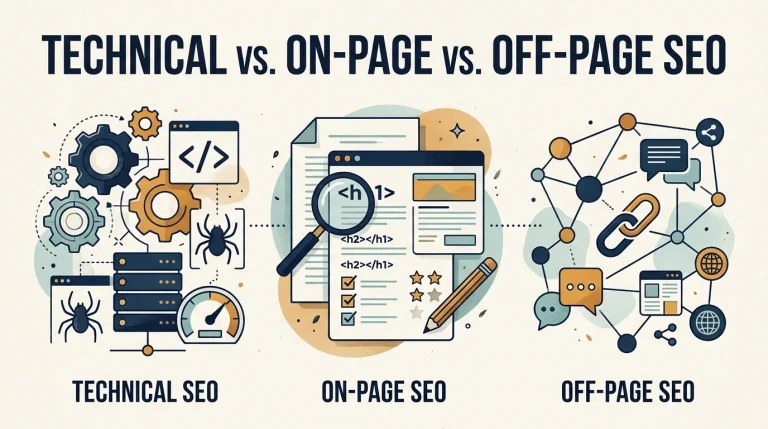
- Keep pages crawlable, indexed, and eligible to appear with a snippet. Our technical SEO guide covers the basics. Technical SEO vs. on-page SEO vs. off-page SEO: technical SEO covers how search engines reach and index your site, on-page SEO covers each page’s content and elements, and off-page SEO covers signals from other websites.
- Provide a good page experience on every device.
- Monitor results with the generative AI performance report in Search Console.
Google also lists tactics it says you can skip for Google Search: llms.txt files, special AI markup, splitting content into tiny “chunks,” rewriting pages only for AI systems, and chasing inauthentic mentions. It adds that, from its perspective, AEO and GEO are still SEO, and it advises checking third-party advice against its guidance. Other platforms may behave differently, and no tactic guarantees a citation. For a broader industry view, read our guide to generative engine optimization.
Build an SEO Strategy Around Your Customers
An effective strategy ties five things together: customer understanding, intent research, keyword-to-page mapping, useful content, and ongoing measurement. If you remember one idea, make it this: to build an SEO strategy around search intent and customer needs, ask what each searcher is trying to accomplish and what the best next step would be.
Start small. Pick one important page and check it against this list:
- I know the business goal and the action that counts as success.
- I have real customer evidence for the problem behind the query.
- I checked the live US results and wrote the searcher’s job in one sentence.
- This keyword belongs to one page, and I checked for overlap.
- The page answers the question early and offers something specific to us.
- The next step matches the visitor’s stage.
- I know which Search Console and Analytics numbers I will review, and when.
Need help aligning your SEO with customer intent? Our SEO services team can support keyword and intent research, content planning, and organic performance reporting. If you would like to talk through your goals, contact our team.
Sources
- Creating helpful, reliable, people-first content, Google Search Central
- SEO Starter Guide, Google Search Central
- Optimizing your website for generative AI features on Google Search, Google Search Central
- How are you performing on Google?, Search Console Help
- About key events, Analytics Help
- Using Search Console and Google Analytics data for SEO, Google Search Central
- Search Intent in SEO: What It Is & How to Optimize for It, Ahrefs
Frequently Asked Questions
Can a keyword have more than one search intent?
Yes. Many queries mix goals, such as learning about a topic while comparing options. Check the search results to see which page types dominate. If one intent clearly leads, build for it. If the results are mixed, lead with the main intent and cover the second in a section, or create separate pages when the two goals need different experiences.
How do you find high-intent keywords?
Start with your offer and your customers’ buying questions. Modifiers such as “near me,” “pricing,” or “hire” often signal readiness to act, but confirm this in the search results, where service pages, product pages, or local results point to commercial intent. Then check Search Console and Analytics to see which queries lead to key events on your own site. High intent means different things in different businesses, so let your own data decide.
How often should you review search intent?
There is no official schedule. Review a keyword’s intent before you create or update a page, when rankings, clicks, or engagement change noticeably, and when the search results look different. Recheck your most important pages from time to time. Update a page’s date only when the content has meaningfully changed, since Google cautions against changing dates just to look fresh.
What should you do when a page ranks but does not convert?
First confirm that the traffic is relevant by checking the queries in Search Console. Then ask whether the page satisfies the query, whether the next step matches the visitor’s stage, and whether your key event tracking works. The diagnostic table above lists what to check.
How long does SEO take to deliver results?
There is no fixed timeline. Google notes that some changes take effect within hours while others take months, and it suggests waiting a few weeks before judging whether a change helped. Set your measurement window around that, and track progress with the four layers described above.